Toast
An opinionated toast component for React Native.
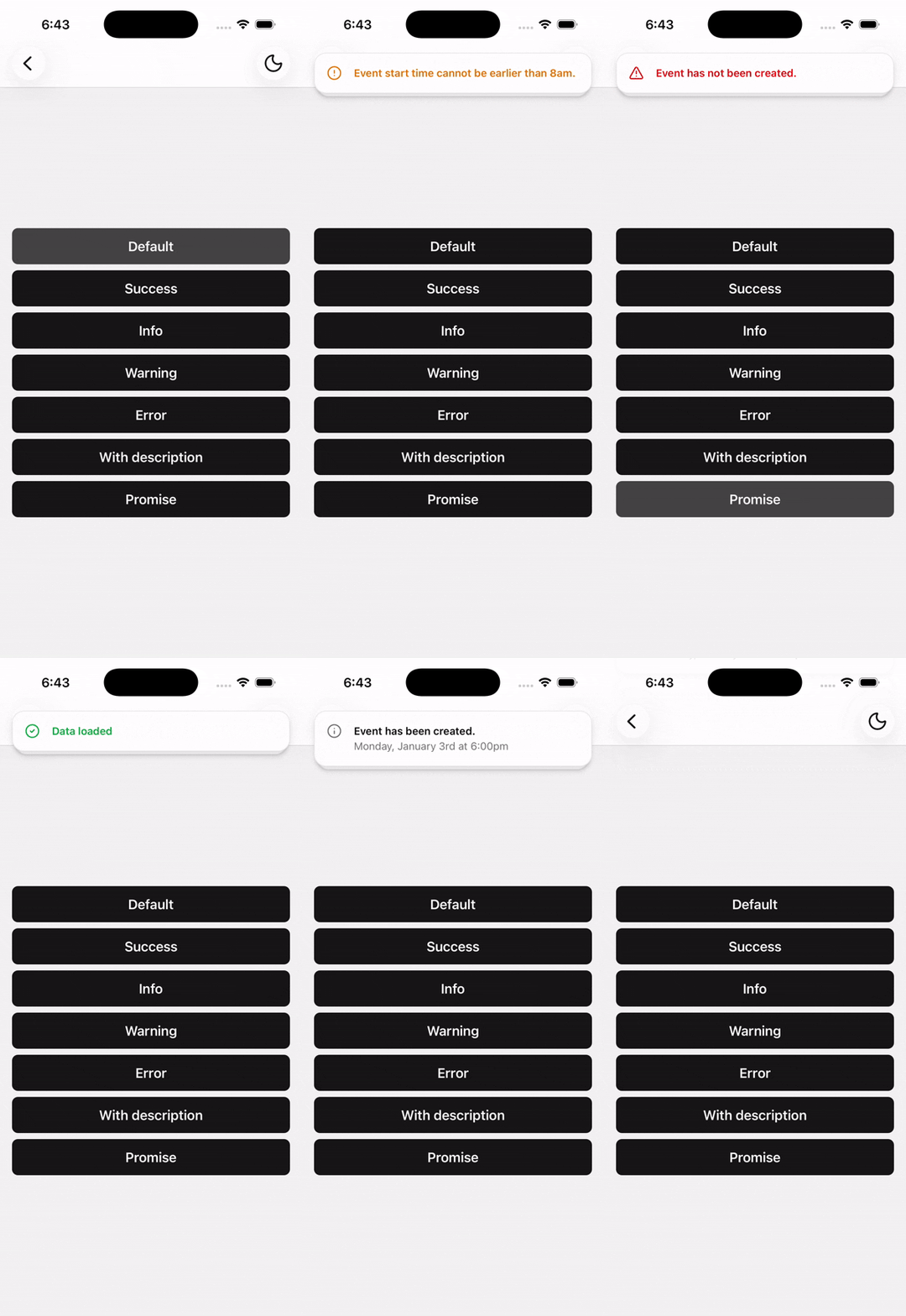
About
Built on top of sonner-native, a port of Sonner for React Native.
Installation
npx shadcn@latest add @tetra-ui/toastSetup
Add the Toaster component to your root layout. With Expo Router, place it in app/_layout.tsx:
import { Toaster } from "@/components/ui/toast";
import { Stack } from "expo-router";

export default function RootLayout() {
  return (
    <>
      <Stack />
      <Toaster />
    </>
  );
}
Usage
import { Toaster, toast } from "@/components/ui/toast";toast("Event has been created.");Types
toast("Event has been created.");
toast.success("Event has been created.");
toast.info("Be at the area 10 minutes before the event time.");
toast.warning("Event start time cannot be earlier than 8am.");
toast.error("Event has not been created.");
Custom
Use toast.custom() for fully custom JSX beyond the built-in variants:
import { View } from "react-native";
import { Button, ButtonIcon } from "@/components/ui/button";
import { Text } from "@/components/ui/text";
import { XIcon } from "@/components/ui/icons";
import { toast } from "@/components/ui/toast";

const id = { current: "" as string | number };

id.current = toast.custom(
  <View className="mx-4 flex-row items-center gap-3 rounded-xl border border-border bg-popover p-4">
    <Text className="font-medium">Event has been created.</Text>
    <Button onPress={() => toast.dismiss(id.current)} size="icon" variant="ghost">
      <ButtonIcon>
        <XIcon />
      </ButtonIcon>
    </Button>
  </View>,
  { duration: Infinity }
);
Built-in toast(), toast.success(), and other variants render a styled toast via Uniwind className. Customize appearance by editing the class constants at the top of components/ui/toast.tsx.
Description
toast("Event has been created.", {
  description: "Monday, January 3rd at 6:00pm",
});
Position
Use the position prop on Toaster or per-toast to change placement. React Native supports top-center, bottom-center, and center — not all six web positions.
<Toaster position="top-center" />toast("Event has been created.", { position: "top-center" });Promise
toast.promise(fetchData(), {
  loading: "Loading...",
  success: "Data loaded",
  error: "Failed to load data",
});
API Reference
Built on sonner-native. Theme is driven by Uniwind (theme is omitted from Toaster props).
Toaster
Accepts sonner-native Toaster props except theme. Always enables stacking with gap={4}.
toast
Shows a toast. Signature: toast(message, options?).
Variants: toast.success, toast.error, toast.warning, toast.info, toast.loading — same (message, options?) shape.
Prop
Type
toast.promise
Shows a loading toast, then success or error when the promise settles.
Prop
Type
Passthrough helpers
toast.custom, toast.dismiss, and toast.wiggle are re-exported from sonner-native. For swipe direction, stacking, and other advanced options, see the sonner-native documentation.